
A Primer on the CSS Font Shorthand Property
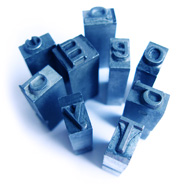 In recent years, as an off-shoot of the “web 2.0” movement, typography has really taken off and now plays a major role in web design. And font usage is also quite an important factor in CSS development — despite that it has not gotten to the point where any font can be used freely without some tricky, sometimes complex workarounds.
Font declarations and related properties in CSS are fairly straightforward to write in longhand. But there is a shorthand CSS property for declaring certain typographical properties that is well-supported across all common browsers, but a little quirky to work with. In this article I’ll describe how the css font shorthand property is used, how it can be misused, and what potential drawbacks there might be to including it in your CSS code.
 Most CSS properties that a web developer deals with regularly are instantaneous in their application to elements on the page. For example, when you add the
  This is the second tutorial in a series explaining how to implement Ajax “from the ground up”, so if you haven’t yet checked out the
  It started out as an industry “buzzword” and has slowly progressed into one of the most important web technologies in use today. It is easily implemented using your favourite JavaScript framework. It can provide a beautiful layer of enhancement to many web applications, helping to improve page-load times and greatly improve the user experience. It can also degrade the user experience and cause a web application to fail if a particular client-side technology is unavailable.
 Recently I came across a few articles that mentioned CSS


