


Accessible and Keyboard-Friendly Hamburger Menu + Slide Out Navigation
 This week I did some research to try to build a hamburger menu that opens a slide-out navigation panel, a common design pattern nowadays. But I wanted to ensure the whole thing was keyboard-friendly and as accessible as possible.
I’m not 100% sure what I’ve come up with is the most accessible solution, but I did consult a number of decent sources on building accessible navigation menus like these. I also did some rudimentary testing using the free NVDA screen reader, to ensure there are no major problems.
 I probably don’t need to tell you that if you want to make it easier marketing yourself as a strong front-end web developer, it’s important to learn React. No, it’s not absolutely crucial, nor is it required. But React is undoubtedly the most important UI library in the front-end landscape in 2019 and it’s not going away anytime soon.
 At some point when reading about scope in JavaScript, you may have come across the term hoisting. It’s often used in the context of variable or function definitions.
 A common UI pattern for a range slider is to allow the user to move the slider and display the value of it somewhere on the page, changing the displayed value as the user moves the slider.
 A trackback on one of my previous posts (yeah, trackbacks aren’t just for spam) alerted me to an interesting point brought up by a blogger named
  I’m a huge baseball fan, so earlier this year, just for a fun side project, I recreated the
  Maybe it’s just me. Maybe I’m a JavaScript debugging n00b, or maybe it’s my limited knowledge of Firebug.
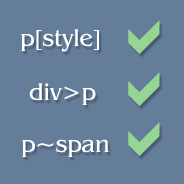 Although the lack of cross-browser CSS selector support has caused a number of useful CSS selectors to go almost unnoticed, developers can still manipulate styles on their pages using some of these little-used selectors through jQuery.
 Every week this website gets about 700 unique visits from Google searches, mostly from people searching for solutions to problems with JavaScript and CSS. I’m flattered, and I hope I can continue to publish useful articles that will assist people and help with the exchange of ideas and techniques. One search phrase that leads surfers to my site pretty much every day is something along the lines of “getElementById explorer 7”.
 Many aspects of JavaScript code development are taken for granted, and scope is really no different. Of course, in many cases where minimal code is required, variable scope (or function scope) is a non-issue. But if you’re planning to get into larger application development with JavaScript, then you need to understand at least the basics on scope in JavaScript.


