This topic doesn’t necessarily need a long explanation of the three main points, so I’ll just list some factors for consideration by way of an “infographic” (or at least, my own pathetic attempt at one).
I think these three areas are arguably the most important to consider when preparing for a new design. I stress that these are pre-design considerations.
First, let me state up front that .net magazine is a must-read for anyone working in web design or development. It is a fantastic, well-researched, well-edited, and cutting-edge publication that has contributed enormously to the web design industry, and has personally helped me to complement my online reading with a vast array of invaluable information.
I especially appreciate articles written by familiar bloggers and designers from around the community, some of whom I’ve personally been privileged to interact with. The magazine’s editors truly go above and beyond to ensure they’ve (as they state on page 8 of every issue) “scoured the web” to find the web’s best talent. In recent months, they’ve published articles by Alen Grakalic, Soh Tanaka, and Chris Coyier, the latter of which was a major cover feature on WordPress. Many of us are no doubt familiar with those names, so it’s exciting to see them get such recognition.
But the magazine has its flaws, and although it’s (by default?) my favourite web design magazine, I still think it could be better. So here are my (admittedly whiny) complaints about .net magazine, and how I think it could improve.
The other day I visited the jQuery Conference page, and immediately fell in love with the beautiful design and CSS3 technique applied to the tabbed navigation on that page. Visit the site in a Webkit-based browser (Chrome or Safari) or Opera 10.5, and you’ll see a nice “glowing” rollover effect along with a subtle inner shadow at the bottom of the inactive tabs.
But that’s not all; they’ve also applied some rounded corners and gradients to complete a very nice effect. All with no images — just progressively enhanced with CSS3 so it degrades in non-supportive browsers. I immediately set out to recreate the effect, and I thought I’d write it up so you can see how CSS3 can create intuitive and beautiful interfaces with no images.
I don’t consider myself an application developer. I think I have some knowledge of application design principles, but it’s something I’d like to improve on, especially in the area of JavaScript and Ajax-driven applications.
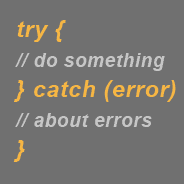
One technique that I believe is quite helpful when developing high-powered JavaScript apps is the JavaScript try-catch statement (also referred to as try-catch-finally). I became familiar with try-catch sometime last year, and although I haven’t used it much, I found it could prove useful in a number of circumstances.
In this article, I’m going to describe what try-catch is, how it can be used, and how it can help make web applications less annoying to users.
If you’ve ever clicked on a footnote link in a Wikipedia article, you’ve probably noticed that two things happen: (1) the link brings you to the footnote section at the bottom of the page; and (2) the selected footnote is highlighted with a different color. In a list of footnotes, this feature makes it easy for the reader to visually access the appropriate footnote.
This is a neat little technique that is accomplished easily using the CSS3 :target pseudo-class selector. Unfortunately, this is another CSS3 feature that has no support in Internet Explorer, and so has been largely overlooked up to this point.
In this brief tutorial, I’ll show you how it’s used, and also provide a quick little JavaScript solution that can be added to an IE-only external script to get it to work cross-browser. IE (all three versions) is the only browser that fails to offer support for this very practical CSS3 feature.
Not too long ago I wrote an article for Six Revisions called Getting Started with jQuery that covered some important things (concept-wise) that beginning jQuery developers should know. This article is the complete opposite; there’s no concepts, no principles, and very little lecturing — just some straight example code with brief descriptions demonstrating what you can do with jQuery.
This fast-paced tutorial should be able to get beginners up and running with jQuery very quickly, while also providing a good overview of what jQuery is capable of (although jQuery’s capabilities go far beyond this beginning tutorial).
Keep in mind that this tutorial is just a bunch of straightforward, superficial code examples and very brief explanations for beginners who want to avoid all the jargon and complexities. But I still highly recommend that all beginners get past this stuff by means of a good book, some more in-depth tutorials online, or by using the jQuery documentation.
CSS opacity has been a bit of a trendy technique for a few years now, and it’s been especially frustrating for developers trying to implement opacity (also referred to as CSS transparency) in a cross-browser fashion, because it’s taken a while for the different browsers to finally agree on settings. There is still not a universal method to ensure opacity settings work on all currently-used browsers, but things have improved in the last little while.
This reference is going to provide a detailed overview of CSS opacity, along with some code examples and explanations to help you implement this useful CSS technique in your projects equally across all browsers.
One thing that should be noted about CSS opacity is that, although it’s been in use for a number of years now, it has never been, and is currently not a standard property. It’s a non-standard technique that is supposed to be part of the CSS3 specification.
In the past I’ve displayed some serious animosity towards the CSS font shorthand property, so I feel I should make up for it. After all, the font shorthand property was just minding its own business, trying to save developers some lines of code, and I come along and declare it an outcast. So, although I still don’t agree with ever using font shorthand, I do think it’s important that CSS developers understand how it works.
So to make up for my former font shorthand hostilities, I’ve prepared a printable cheat sheet that you can download and hang next to your computer, which will come in handy in case you decide to use this property yourself, or are forced use it in a stylesheet from an inherited project. Enjoy!
It’s common nowadays for bloggers to monetize their blogs through the use of strategically-placed ad blocks. BuySellAds ad blocks are the most popular in the web design community. You’ll sometimes also see AdSense ads placed at the top of articles or in other spots.
It becomes a bit of a challenge, however, to include ads in older posts. Nobody wants to go through and edit each post, adding customized code manually, which could be quite time consuming.
The best way to do this is to put the ad code in your single.php page, outside of the function that displays the post. Unfortunately, with this method, the ads are limited in location to either the top or bottom of the article. In this tutorial, I’m going to describe some JavaScript that I wrote that will dynamically embed a custom ad block between paragraphs in all your WordPress posts.
Last year I began a series called “Ajax From the Ground Up”, that consisted of two articles describing how to implement Ajax from scratch using pure JavaScript. Because I was busy with other things, and due to minimal interest shown in the articles, I never wrote the third part to the series.
But I didn’t feel comfortable leaving it permanently unfinished, so with this article, I’ll complete the 3-part series that will teach you how to fully implement Ajax calls in your pages using raw JavaScript.

 This topic doesn’t necessarily need a long explanation of the three main points, so I’ll just list some factors for consideration by way of an “infographic” (or at least, my own pathetic attempt at one).
 First, let me state up front that
  The other day I visited the
  I don’t consider myself an application developer. I think I have some knowledge of application design principles, but it’s something I’d like to improve on, especially in the area of JavaScript and Ajax-driven applications.
 If you’ve ever clicked on a footnote link in a Wikipedia article, you’ve probably noticed that two things happen: (1) the link brings you to the footnote section at the bottom of the page; and (2) the selected footnote is highlighted with a different color. In a list of footnotes, this feature makes it easy for the reader to visually access the appropriate footnote.
 Not too long ago I wrote an article for Six Revisions called Getting Started with jQuery that covered some important things (concept-wise) that beginning jQuery developers should know. This article is the complete opposite; there’s no concepts, no principles, and very little lecturing — just some straight example code with brief descriptions demonstrating what you can do with jQuery.
 CSS opacity has been a bit of a trendy technique for a few years now, and it’s been especially frustrating for developers trying to implement opacity (also referred to as CSS transparency) in a cross-browser fashion, because it’s taken a while for the different browsers to finally agree on settings. There is still not a universal method to ensure opacity settings work on all currently-used browsers, but things have improved in the last little while.
 In the past I’ve displayed some serious animosity towards the CSS
  It’s common nowadays for bloggers to monetize their blogs through the use of strategically-placed ad blocks. BuySellAds ad blocks are the most popular in the web design community. You’ll sometimes also see AdSense ads placed at the top of articles or in other spots.
 Last year I began a series called “Ajax From the Ground Up”, that consisted of two articles describing how to implement Ajax from scratch using pure JavaScript. Because I was busy with other things, and due to minimal interest shown in the articles, I never wrote the third part to the series.


