
CSS Opacity That Doesn’t Affect Child Elements
 This is a quick tip to demonstrate a way to work around the problem of child elements in your HTML inheriting the “alpha” settings of their parent. This tip is not necessarily recommended, because it creates extra markup and is a little bit messy. But I’m sure it could come in handy in a rare case, depending on the layout of the elements involved, the content, the type of site, etc.
First, here is the CSS code necessary to make an HTML element semi-transparent:
 One particular design trend that has caught my attention of late on web development and graphic design blogs is the fancy gray border that surrounds images in blog posts. There are subtle variations of it around the web, which you can see on a number of blogs and tutorial sites.
 Many aspects of JavaScript code development are taken for granted, and scope is really no different. Of course, in many cases where minimal code is required, variable scope (or function scope) is a non-issue. But if you’re planning to get into larger application development with JavaScript, then you need to understand at least the basics on scope in JavaScript.
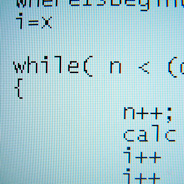 Recently, a few blogs and tutorial sites have posted some really good articles on JavaScript tips and best practices, and I thought that was a good topic that could easily be expanded upon. So I put together a list of 10 fairly simple JavaScript tips and best practices of my own.
 In recent years, as an off-shoot of the “web 2.0” movement, typography has really taken off and now plays a major role in web design. And font usage is also quite an important factor in CSS development — despite that it has not gotten to the point where any font can be used freely without some tricky, sometimes complex workarounds.
 Most CSS properties that a web developer deals with regularly are instantaneous in their application to elements on the page. For example, when you add the
  This is the second tutorial in a series explaining how to implement Ajax “from the ground up”, so if you haven’t yet checked out the
  It started out as an industry “buzzword” and has slowly progressed into one of the most important web technologies in use today. It is easily implemented using your favourite JavaScript framework. It can provide a beautiful layer of enhancement to many web applications, helping to improve page-load times and greatly improve the user experience. It can also degrade the user experience and cause a web application to fail if a particular client-side technology is unavailable.
 Recently I came across a few articles that mentioned CSS
  This brief and easy tutorial provides a method to indent multiple lines of text around a background image on a styled


