With any programming language, the learning journey is seemingly an endless one. Because I don’t have a computer sciences background, I feel I’ll always struggle to keep my JavaScript abilities up to par.
Over the last year or so I’ve stumbled across a number of useful resources that I think are worth mentioning here. Many of these are not for the faint of heart. Some pretty heavy stuff often geared towards advanced JavaScript developers and front-end engineers.
At the beginning of this month I wrote a post accompanied by five demo pages that showed that CSS3 transitions could be triggered with a number of different events/states in CSS.
That alone should help you see how these types of simple animations work. But let’s take this a bit further.
CSS pseudo-classes and media queries (which I used in that other post to trigger the transitions) represent certain states for certain elements. These states occur after specific events on the page. So naturally, CSS3 transitions can also be fired using any JavaScript event. Let’s try a simple click event that toggles a class name.
When coding JavaScript, I find myself using the for loop fairly often. Recently, when I coded, then re-coded these drop-down menus, during the re-code I ran my JavaScript/jQuery through JSLint using the option called “The Good Parts”.
I don’t know a whole lot about JSLint, but I figured that would be a pretty good way to ensure the code was efficient, relatively future-proof, and easy to maintain (i.e. it uses best practices).
The info JSLint provided, as well as other stuff I’ve read in the past, got me thinking about the simple JavaScript for loop and how it’s customarily written.
Maybe it’s just me. Maybe I’m a JavaScript debugging n00b, or maybe it’s my limited knowledge of Firebug.
While I fully support the use of unobtrusive JavaScript in all projects, I do find it has one weakness: Connecting the HTML element with the code that acts upon it.
If you’ve been coding JavaScript since the dark ages of the web, you’ll know that JavaScript used to be commonly implemented in an obtrusive fashion that mixed markup with behaviour, which made your code messy, and added extra code to every individual page rather than putting it in an external reusable file.
I don’t consider myself an application developer. I think I have some knowledge of application design principles, but it’s something I’d like to improve on, especially in the area of JavaScript and Ajax-driven applications.
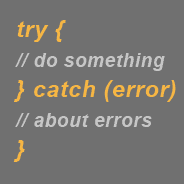
One technique that I believe is quite helpful when developing high-powered JavaScript apps is the JavaScript try-catch statement (also referred to as try-catch-finally). I became familiar with try-catch sometime last year, and although I haven’t used it much, I found it could prove useful in a number of circumstances.
In this article, I’m going to describe what try-catch is, how it can be used, and how it can help make web applications less annoying to users.
Recently, while doing research/work on a completely unrelated topic, I came across the beautiful illustrations on Rype Arts, which are displayed inside of a JavaScript-driven content switcher. For some reason, I happened to visit the page with JavaScript disabled and noticed that the content switcher was still working (albeit, with a few flaws).
At first I couldn’t figure out how it was functioning. Normally, with JavaScript disabled, this type of content switcher (or content slider) will just display one item, or else display all items, without allowing any “switching” functionality. After some poking around, I realized it’s not a very difficult thing to do. The switcher utilizes in-page anchors and overflow: hidden to keep the switchability intact.
Last week I posted a tutorial that demonstrated using a simple application how to implement progressive enhancement into your Ajax projects. The one major flaw in the final Ajax-driven page from that tutorial is the lack of deep linking when JavaScript is enabled.
Although the resulting code is clean, works well, and is easy to maintain, the lack of deep linking is enough to cause a client to balk at the use of progressive enhancement in such a circumstance. So, in this brief tutorial, I’ll describe how to incorporate deep linking into that page.
If you haven’t already gone through the previous tutorial, doing so might help you get up to speed — but it’s not absolutely necessary, since the code we’ll be using is pretty straightforward.
Every week this website gets about 700 unique visits from Google searches, mostly from people searching for solutions to problems with JavaScript and CSS. I’m flattered, and I hope I can continue to publish useful articles that will assist people and help with the exchange of ideas and techniques. One search phrase that leads surfers to my site pretty much every day is something along the lines of “getElementById explorer 7”.
If you type this phrase into Google, Impressive Webs currently comes in at around result 115. Not to mention the fact that the article that comes up doesn’t really address this issue directly. That’s not a very good ranking for that search phrase — yet somehow people are still finding one of my pages through that search.
It is obvious that developers — likely beginners — are having issues getting the proper results when utilizing the getElementById method available in JavaScript, particularly in Internet Explorer versions 6 and 7. And since the users seem to be searching through dozens of web pages looking for a solution to their particular problem, then obviously the pages discussing this JavaScript method are either too confusing or don’t specifically provide a practical solution.
One particular design trend that has caught my attention of late on web development and graphic design blogs is the fancy gray border that surrounds images in blog posts. There are subtle variations of it around the web, which you can see on a number of blogs and tutorial sites.
Sometimes it’s just an image with a solid border and slightly lighter shaded background. Elsewhere it’s a linked image with the same effect, plus a rollover state that changes the color of the border and/or background. And sometimes it’s seen in the ads on a design blog.
Many aspects of JavaScript code development are taken for granted, and scope is really no different. Of course, in many cases where minimal code is required, variable scope (or function scope) is a non-issue. But if you’re planning to get into larger application development with JavaScript, then you need to understand at least the basics on scope in JavaScript.
Using some simple code examples, I’m going to run through the basics of scope and try to give beginning to intermediate JavaScript developers a better grasp of this very important concept.

 With any programming language, the learning journey is seemingly an endless one. Because I don’t have a computer sciences background, I feel I’ll always struggle to keep my JavaScript abilities up to par.
 At the beginning of this month I wrote a post accompanied by five demo pages that showed that CSS3 transitions could be triggered with a number of different events/states in CSS.
 When coding JavaScript, I find myself using the
  Maybe it’s just me. Maybe I’m a JavaScript debugging n00b, or maybe it’s my limited knowledge of Firebug.
 I don’t consider myself an application developer. I think I have some knowledge of application design principles, but it’s something I’d like to improve on, especially in the area of JavaScript and Ajax-driven applications.
 Recently, while doing research/work on a completely unrelated topic, I came across the beautiful illustrations on
  Last week I posted a tutorial that demonstrated using a simple application how to implement
  Every week this website gets about 700 unique visits from Google searches, mostly from people searching for solutions to problems with JavaScript and CSS. I’m flattered, and I hope I can continue to publish useful articles that will assist people and help with the exchange of ideas and techniques. One search phrase that leads surfers to my site pretty much every day is something along the lines of “getElementById explorer 7”.
 One particular design trend that has caught my attention of late on web development and graphic design blogs is the fancy gray border that surrounds images in blog posts. There are subtle variations of it around the web, which you can see on a number of blogs and tutorial sites.
 Many aspects of JavaScript code development are taken for granted, and scope is really no different. Of course, in many cases where minimal code is required, variable scope (or function scope) is a non-issue. But if you’re planning to get into larger application development with JavaScript, then you need to understand at least the basics on scope in JavaScript.


