
What is Inline-Block?
 If you’ve been developing with CSS for some time now, you’re certainly familiar with the
 inline-block value for the display property. The most common use for this property/value pair is when getting IE6’s margins to behave.
To briefly explain what I’m talking about, if you float an element in IE6 and give it a margin setting on the same side as the direction of the float, the margin will (strangely) be doubled. You could fix this with an IE6 hack with a margin setting that’s half the value of the original, or you could (in many cases) give the element’s display property a value of inline-block (again in an IE6-only hack or stylesheet). This will resolve the issue in most, if not all circumstances.
Although this IE6 workaround for floated elements has probably been the most useful way to implement the inline-block value, it could serve a much more legitimate purpose if the value itself is better understood.
 I’ve added five new items to the
  This topic doesn’t necessarily need a long explanation of the three main points, so I’ll just list some factors for consideration by way of an “infographic” (or at least, my own pathetic attempt at one).
 First, let me state up front that
  CSS opacity has been a bit of a trendy technique for a few years now, and it’s been especially frustrating for developers trying to implement opacity (also referred to as CSS transparency) in a cross-browser fashion, because it’s taken a while for the different browsers to finally agree on settings. There is still not a universal method to ensure opacity settings work on all currently-used browsers, but things have improved in the last little while.
 In the past I’ve displayed some serious animosity towards the CSS
  I had to qualify that title, because by far the easiest way to get hundreds of comments on any blog post is to give something away to a randomly chosen commenter. But as bloggers we’re always in search of ways to create a little bit of buzz to increase page views and overall reader participation through re-tweets or comments.
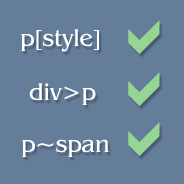 Although the lack of cross-browser CSS selector support has caused a number of useful CSS selectors to go almost unnoticed, developers can still manipulate styles on their pages using some of these little-used selectors through jQuery.
 Since my knowledge of CSS3 is fairly shoddy, I decided to create and release a CSS3 “click chart” or “help chart” (for lack of a better term) that displays examples of some of the newest features in CSS.
 Today I’m happy to announce the launch of a new project I’ve been working on since late December. It’s a simple website called


