Search Results for: javascript

How to Resolve a Fluid Header/Footer Problem When the Window is Resized

Resolve a Fluid Header/Footer Problem When the Window is ResizedAfter redesigning this website, and realizing that I’ve been way too nonchalant about different window sizes, I came across an issue that probably occurs in a lot of different layouts.

The problem happens under the following circumstances: (1) The header and footer of the page have no specified width; (2) The content area has a specified width, and is centered using margin: auto; (3) The window is resized below the content area’s width, or the window starts out below the set width of the content area.

In most cases, this issue will go unnoticed, because generally speaking, sites are designed to fit within the 960px standard width, which will be fine for most users. Because my monitor’s resolution is set to higher than 1024×768 (which is small in the web design community nowadays), the problem was occurring on my own site, which has for a while now been designed for a larger than average width.

Nothing to See Here — Just a Redesign

Nothing to See Here – Just a RedesignOver the past week, I’ve redesigned Impressive Webs, and today it’s launched. The last design got old quick, and I felt it wasn’t as good as it should have been.

This design didn’t take me too long, since the basic structure and layout of the site is still somewhat the same. I think it’s a little cleaner and more professional looking, and it was certainly influenced by some of the great designers I’ve observed over the past year or more while blogging regularly.

I’m hoping that certain features of the design will allow for creativity within individual posts at any time in the future, should I decide to venture into that area of design blogging.

IE-only Styles: Where Should They Be Placed?

IE-only Styles — Where Should They Be Placed?Dealing with Internet Explorer is a fact of web design, and it isn’t going to go away anytime soon.

If not for some of the differences in the way IE6 and IE7 handle certain areas of CSS (whether it be margins bugs, float bugs, or other problems), CSS development would be so much easier.

Of course, as I’ve said in past articles on this website and others, I believe IE-only styles can be kept to a bare minimum, and in some cases you may not need any, but it’s unlikely that developers will end up so fortunate. So how do you divide your IE-only CSS styles? The options we have are as follows:

Coding for IE6 = Progressive Enhancement

Coding for IE6 = Progressive EnhancementIt was disappointing to see the unwarranted uproar that occurred in the comments of my article on Smashing Magazine on cross-browser CSS. But in retrospect, it was probably a good thing, because a more important (but related) issue was brought to light in the discussion.
At this stage in modern web design, all front-end coders should at least be familiar with (if not very capable of implementing into their projects) the concept of progressive enhancement. In most cases, we tend to associate progressive enhancement with JavaScript and CSS, and rightfully so, because those technologies help us layer our functionality in a way that makes a website accessible to as many people as possible.

But progressive enhancement isn’t just limited to what we accomplish with fancy Ajax, jQuery, and CSS3 — that’s just part of it (albeit a very significant part). I would like to take the Wikipedia definition of progressive enhancement just a little bit further. Here is the definition:

CSS3 Best Practices

CSS3 Best PracticesSince CSS3 has become such a big deal in the future-thinking minds of web designers today, I think it would be appropriate for front-end developers to begin formulating some best-practice habits and techniques so that any CSS3 development we do is done right, and we therefore are able to get CSS3 development off to a good start.

By no means do I assume that everything in this article is etched in stone and error-free, but I think this will be a good starting point for this topic, and I will be happy to add to or amend any points that anyone feels need adjusting or clarification.

Consider this a starting point for discussing best practices for CSS3, especially since there don’t seem to be any articles available yet that exclusively discuss CSS3 best practices.

Dear Microsoft, You Missed the Boat

Dear Microsoft, You Missed the BoatDear Microsoft,

I’m a web designer and developer who has been working with a variety of tools and languages in the web development industry for about 10 years now, mostly dealing with front-end tools and coding practices. Although I’ve spent a lot of time with you and your various technologies, I feel obligated to tell you that you missed the boat. Let me explain why.

About 9 years ago you released what was at the time the most standards-compliant web browser in existence, for which you even had the backing of Jeffrey Zeldman. Around that time, you were taking the browser market by the collar and showing it who’s boss. At one point, as you know, your browser held a 95% market share.

Better Page Corner Ads with CSS3 Transforms

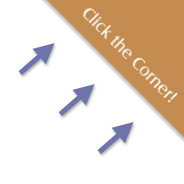
Improving Page Corner Ads with CSS3 TransformsThe other day I came across a useful site called ScriptSrc.net that allows you to get up-to-date script tag links that point to your favourite JavaScript libraries.

The site has a clickable corner ad promo to get people to “spread the word”. I thought using CSS3 there would be a better way to position such a corner advertisement (or promo, or whatever), because the clickable area for the ad on ScriptSrc.net is actually too big. In some cases, you might prefer the clickable area to be bigger, but I think it’s always best to keep the clickable area limited to the actual ad.

Why I Hate .net Magazine (But I Still Love It)

Why I Hate .net Magazine (But I Still Love It)First, let me state up front that .net magazine is a must-read for anyone working in web design or development. It is a fantastic, well-researched, well-edited, and cutting-edge publication that has contributed enormously to the web design industry, and has personally helped me to complement my online reading with a vast array of invaluable information.

I especially appreciate articles written by familiar bloggers and designers from around the community, some of whom I’ve personally been privileged to interact with. The magazine’s editors truly go above and beyond to ensure they’ve (as they state on page 8 of every issue) “scoured the web” to find the web’s best talent. In recent months, they’ve published articles by Alen Grakalic, Soh Tanaka, and Chris Coyier, the latter of which was a major cover feature on WordPress. Many of us are no doubt familiar with those names, so it’s exciting to see them get such recognition.

But the magazine has its flaws, and although it’s (by default?) my favourite web design magazine, I still think it could be better. So here are my (admittedly whiny) complaints about .net magazine, and how I think it could improve.

CSS3 Glow Tabs

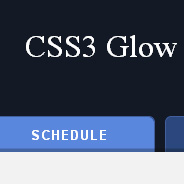
CSS3 Glow TabsThe other day I visited the jQuery Conference page, and immediately fell in love with the beautiful design and CSS3 technique applied to the tabbed navigation on that page. Visit the site in a Webkit-based browser (Chrome or Safari) or Opera 10.5, and you’ll see a nice “glowing” rollover effect along with a subtle inner shadow at the bottom of the inactive tabs.

But that’s not all; they’ve also applied some rounded corners and gradients to complete a very nice effect. All with no images — just progressively enhanced with CSS3 so it degrades in non-supportive browsers. I immediately set out to recreate the effect, and I thought I’d write it up so you can see how CSS3 can create intuitive and beautiful interfaces with no images.

How to Dynamically Highlight Content Like Wikipedia Using CSS3

Dynamically Highlighting FootnotesIf you’ve ever clicked on a footnote link in a Wikipedia article, you’ve probably noticed that two things happen: (1) the link brings you to the footnote section at the bottom of the page; and (2) the selected footnote is highlighted with a different color. In a list of footnotes, this feature makes it easy for the reader to visually access the appropriate footnote.

This is a neat little technique that is accomplished easily using the CSS3 :target pseudo-class selector. Unfortunately, this is another CSS3 feature that has no support in Internet Explorer, and so has been largely overlooked up to this point.

In this brief tutorial, I’ll show you how it’s used, and also provide a quick little JavaScript solution that can be added to an IE-only external script to get it to work cross-browser. IE (all three versions) is the only browser that fails to offer support for this very practical CSS3 feature.